
Rapor ekranınızdan ayrılmadan kullanın
RadPhrases, kısayolları doğrudan kullandığınız Windows raporlama ekranına ekler. Raporunuzu başka bir uygulamaya kopyalamanız veya yüklemeniz gerekmez.
Radyoloji asistanları ve uzmanları için
Tarayıcınızda şablonlar ve kısayollarla rapor hazırlayın veya Windows uygulamasıyla gözden geçirilmiş ifadeleri kullandığınız raporlama ekranına ekleyin.
Şablonları ve kısayolları tarayıcınızda kullanın. Kurulum gerekmez. Premium erişim gerektirir.
RadPhrases nasıl çalışır? — 90 snÜcretsiz plan · 30 gün Premium erişim · kart gerekmez
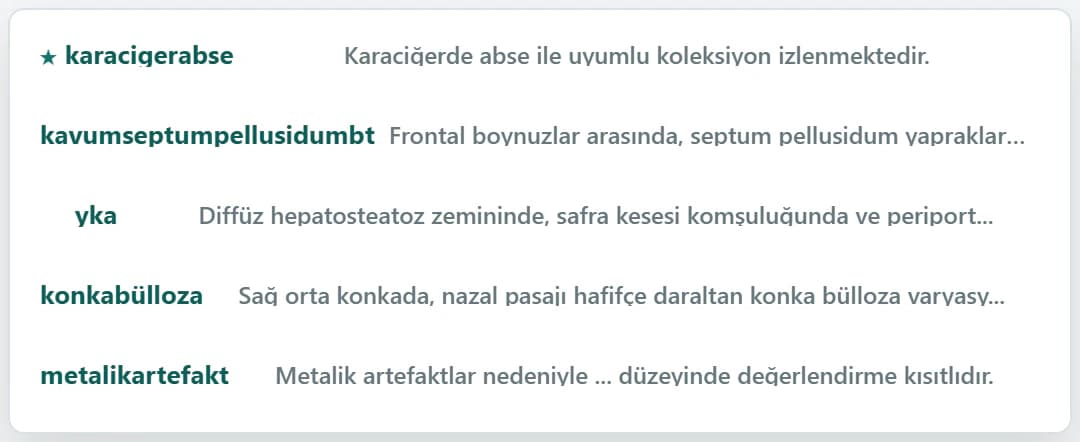
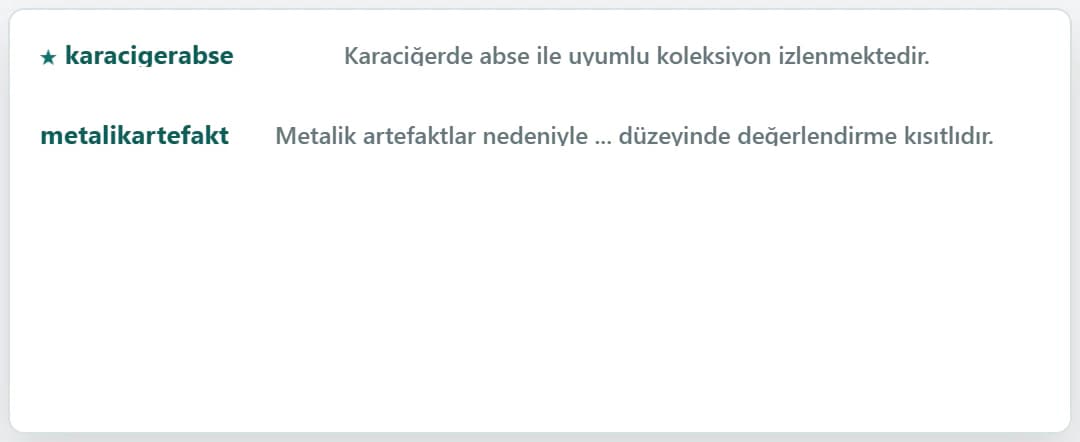
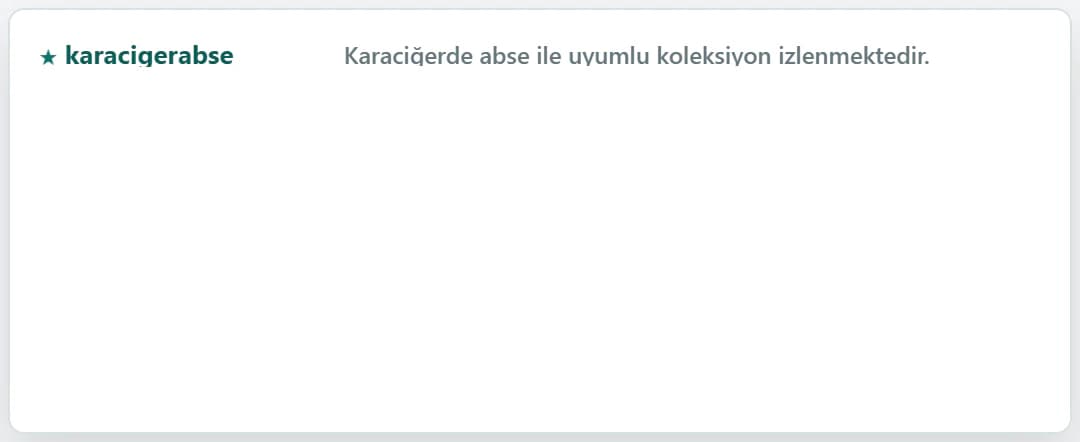
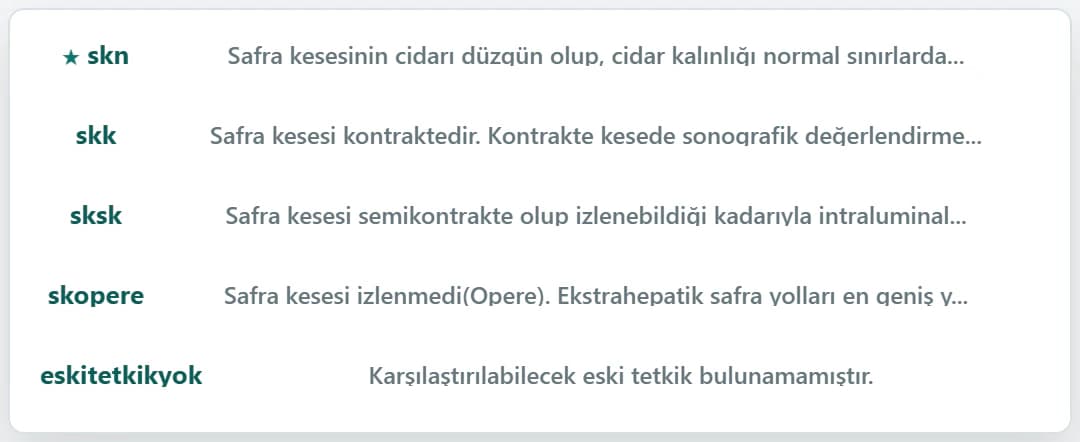
Bir karaciğer USG raporu, iki yöntem
Üç sık kullanılan bulgu ifadesi üzerinden örnek senaryo
Bu örnek raporda kazanılan süre
Üç bulgu, üç kısayol. Sonuçlar kişisel yazım hızına ve iş akışına göre değişir.
Her raporlama gününde daha önce yazdığınız ifadeler, yeniden bulmanız gereken şablonlar ve iş akışınızı bölen sınıflandırmalar var. RadPhrases bu tekrar eden adımları elinizin altında tutar; son raporun kontrolü ise sizde kalır.
Rapor sayınızı ve kısayol kullanımınızı girin. Hesaplama yalnızca görünür varsayımlara dayanır; kendi çalışma temponuza göre düzenleyebilirsiniz.
Örnek hesap: günde 60 rapor × rapor başına 3 ifade × ifade başına 19,3 saniye × yılda 230 çalışma günü. Bu bir performans garantisi değildir.
RadPhrases'ta kullanıma hazır
RadPhrases, kısayolları doğrudan kullandığınız Windows raporlama ekranına ekler. Raporunuzu başka bir uygulamaya kopyalamanız veya yüklemeniz gerekmez.
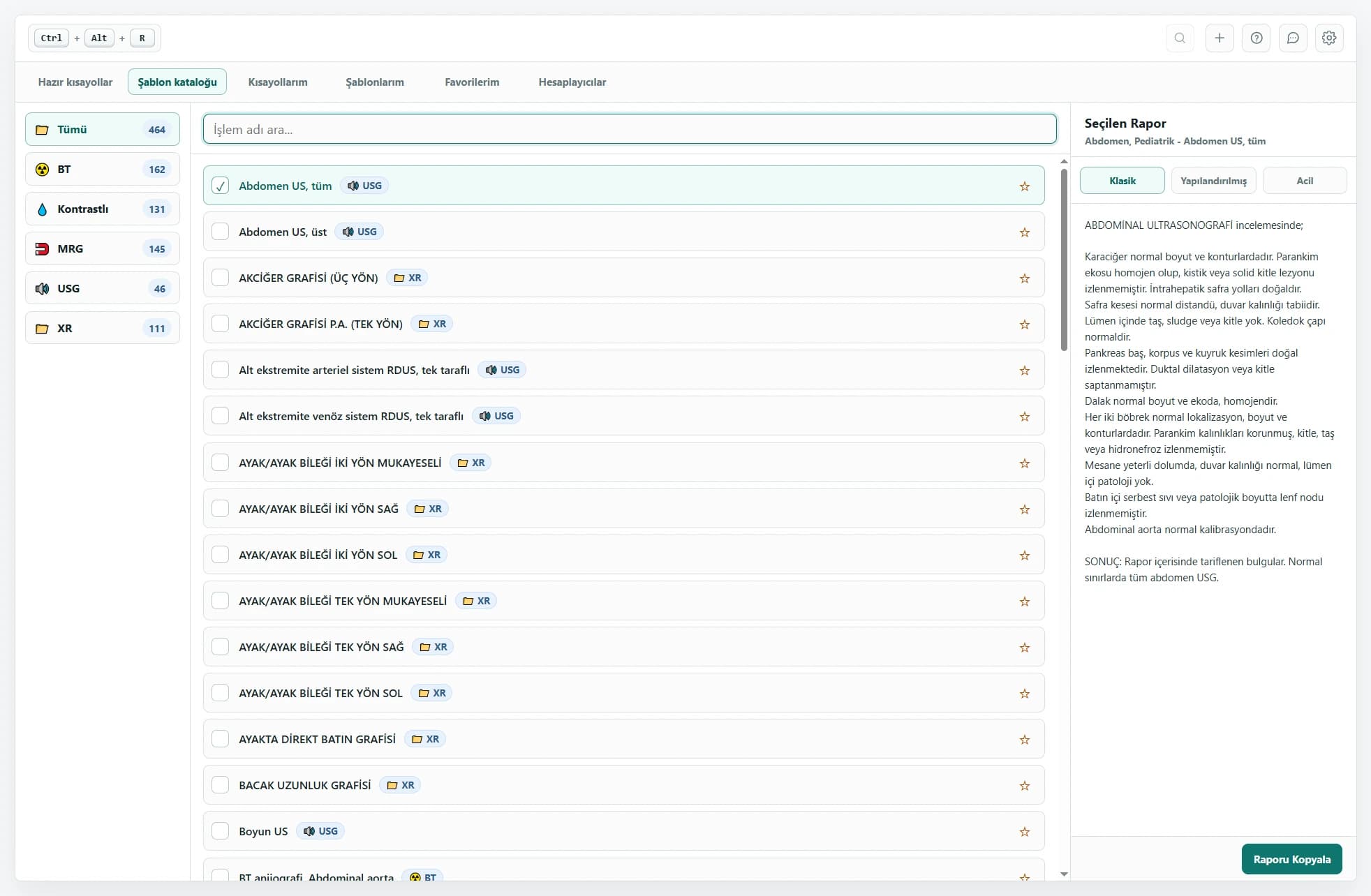
Ctrl + Alt + R ile kataloğu açın. Modaliteye göre arayın, raporu önizleyin ve seçtiğiniz şablonu çalışma alanınıza ekleyin.
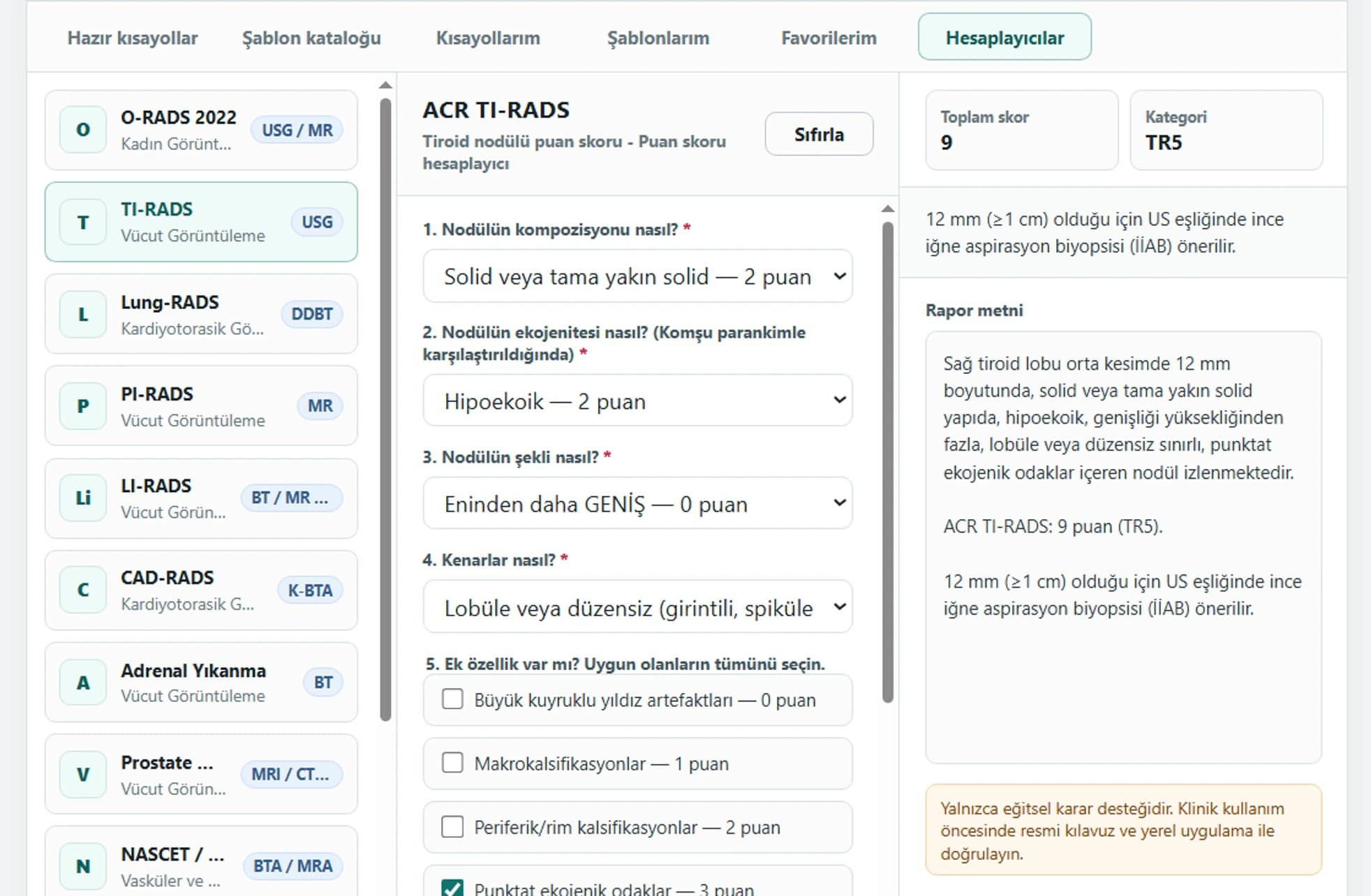
O-RADS, TI-RADS ve PI-RADS gibi yerleşik hesaplayıcılara yapılandırılmış bulguları girin. Sonuç, yönlendirme ve rapor metnini birlikte gözden geçirin.
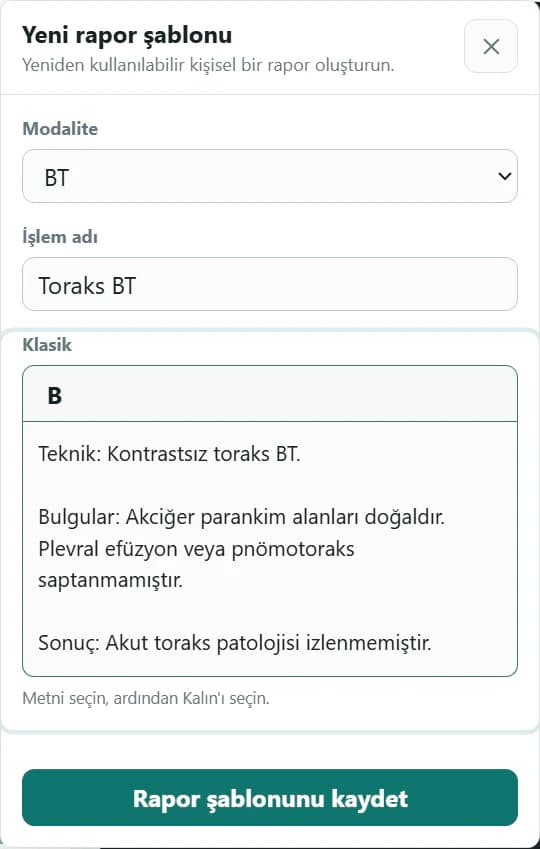
Kişisel kısayol ve rapor şablonlarınızı katalogdaki kategori ve işlem adlarıyla oluşturun. Kaydettikten sonra aynı katalog ve panelden erişin.
Planlar
Ücretsiz plan; temel Windows uygulamasını, incelenmiş Ücretsiz kataloğu ve geniş kişisel içerik sınırlarını içerir. Premium; tam kataloğu, sınırsız oluşturmayı, senkronizasyonu, paylaşımı ve Rapor Yazıcı'yı açar.
Premium özelliklerini 30 gün deneyin
Her yeni hesaba otomatik olarak dahildir. Yeni hesaplara ayrıca tek seferlik 5 AI isteği verilir. Ödeme yöntemi gerekmez.
Temel özelliklerle başlayın.
Kredi kartı gerekmez
₺0sonsuza kadar
Yeni hesaplara 5 AI isteği
Raporlama için eksiksiz araç setiniz.
$70yıllık
Lansmana özel · %50 indirim
USD/EUR fiyatları yaklaşık tutarlardır. Ödemeniz her zaman TL tutarı baz alınarak hesaplanır ve USD karşılığıyla tahsil edilir. Bu nedenle banka hareketlerinizde USD olarak görünebilir.
Her ay 5 AI isteği dahil
Sesli bulgularınızı rapor taslağına dönüştürün.
$140/ yıl
Lansmana özel · %50 indirim
USD/EUR fiyatları yaklaşık tutarlardır. Ödemeniz her zaman TL tutarı baz alınarak hesaplanır ve USD karşılığıyla tahsil edilir. Bu nedenle banka hareketlerinizde USD olarak görünebilir.
Ayda 300 AI isteği
Yeni hesaplara tek seferlik 5 AI isteği verilir. Premium tam kitaplık, eşitleme ve aylık AI kotası sunar. Premium AI bu kotayı artırır.
Aylık ve yıllık Premium aynı özellikleri içerir.
| Özellik | Ücretsiz | Premium | Premium AI |
|---|---|---|---|
| Sesle yapay zekâ raporu oluşturma | Yeni hesaplara 5 AI isteği | 5 AI isteği / ay | Ayda 300 AI isteği |
| Windows uygulamalarında metin genişletme | Dahil | Dahil | Dahil |
| İncelenmiş kısayol ve rapor kataloğu | Ücretsiz katalog | Tam Ücretsiz + Premium katalog | Tam Ücretsiz + Premium katalog |
| Kişisel kısayollar | En fazla 50 | Sınırsız | Sınırsız |
| Kişisel rapor şablonları | En fazla 50 | Sınırsız | Sınırsız |
| Favoriler | Ücretsiz katalog öğeleri, yalnızca bu bilgisayarda | Tüm kullanılabilir içerik, bilgisayarlar arasında eşitlenir | Tüm kullanılabilir içerik, bilgisayarlar arasında eşitlenir |
| Kişisel kitaplık senkronizasyonu | Dahil değil | Kısayollar, raporlar ve favoriler | Kısayollar, raporlar ve favoriler |
| Topluluk kitaplıkları | Herkese açık kitaplıklara göz atma | Paylaşılan kitaplıkları yayımlama, ekleme ve kullanma | Paylaşılan kitaplıkları yayımlama, ekleme ve kullanma |
| Web Rapor Yazıcı | Dahil değil | Dahil | Dahil |
| Teknik destek | Standart | Öncelikli | Öncelikli |
Uyumluluk, gizlilik, planlar ve klinik sorumluluk hakkında açık yanıtlar.
Hayır. RadPhrases mevcut PACS, RIS, dikte veya raporlama yazılımınızın yanında çalışır. Seçtiğiniz ifade ve şablonları mevcut iş akışınıza ekler; tetkikleri yönetmez, diktenin yerini almaz ve rapor imzalamaz.
Hayır. RadPhrases, seçtiğiniz ifadeyi doğrudan açık olan rapor alanına ekler. Yazdığınız rapor metni, hasta bilgileri, dikte metni ve pano içeriği ifade eklemek amacıyla RadPhrases'e gönderilmez. Uygulama yalnızca hesap doğrulama, lisans kontrolü, güncellemeler ve isteğe bağlı kişisel içerik eşitleme gibi işlemler için internet bağlantısı kullanabilir. Premium AI ayrı bir özelliktir: yapay zekâ ile rapor yazma veya sesli düzeltme istediğinizde kayıt, seçilen şablonlar ve mevcut yapay zekâ taslağı işlenmek üzere RadPhrases üzerinden OpenAI’a gönderilir.
RadPhrases, standart klavye veya pano metin girişini kabul eden Windows uygulamaları için tasarlanmıştır; birçok masaüstü ve tarayıcı tabanlı raporlama sistemi buna dahildir. Güvenli, sanallaştırılmış veya özelleştirilmiş ortamlar metin eklemeyi kısıtlayabilir; bu nedenle kullanmadan önce kendi iş istasyonunuzda doğrulayın.
İncelenmiş temel ifade ve rapor kitaplıkları RadPhrases editör ekibi tarafından seçilir ve gözden geçirilir. Kişisel içerikler ile topluluk içerikleri ayrı olarak etiketlenir ve varsayılan olarak bağımsız biçimde doğrulanmaz. Her öğe klinik kullanımdan önce yine sizin tarafınızdan incelenmelidir.
Ücretsiz plan; incelenmiş kısayol ve rapor şablonu kataloğunu, hızlı aramayı, bilgisayarınızdaki uygulamalarda kullanımı ve sınırlı sayıda kişisel kısayol ile şablon oluşturmayı içerir. Kredi kartı gerekmez. Yalnızca Premium'a özel katalog içeriği, sınırsız kişisel içerik, bilgisayarlar arasında otomatik eşitleme ve öncelikli destek dahil değildir.
Premium ile kişisel kısayollarınız, rapor şablonlarınız ve favorileriniz oturum açtığınız bilgisayarlarda hesabınızla birlikte eşitlenir. Hasta verileri, pano içeriği ve düzenlemekte olduğunuz rapor metni masaüstü eşitlemesinin parçası değildir.
Hayır. RadPhrases bir metin genişletme ve raporlama verimliliği aracıdır; tıbbi cihaz, tanı sistemi veya tıbbi tavsiye kaynağı değildir. Raporu tamamlamadan önce her ifade ve şablonu incelemek, doğrulamak ve düzenlemek sizin sorumluluğunuzdadır.
Uygulamanın resmî adı RadPhrases'tir. RadPhrase veya Rad Phrase aramasıyla geldiyseniz, radyoloji raporlama uygulamasının resmî web sitesindesiniz.
Bir kısayol yazın, Enter'a basın ve incelenmiş bir ifadeyi bilgisayarınızdaki raporlama akışına ekleyin.
Windows için indirÜcretsiz plan · 30 gün Premium erişim · kart gerekmez