
Use it without leaving your reporting screen
RadPhrases inserts phrases directly into the Windows reporting software you already use. There is no need to copy or upload your report to another application.
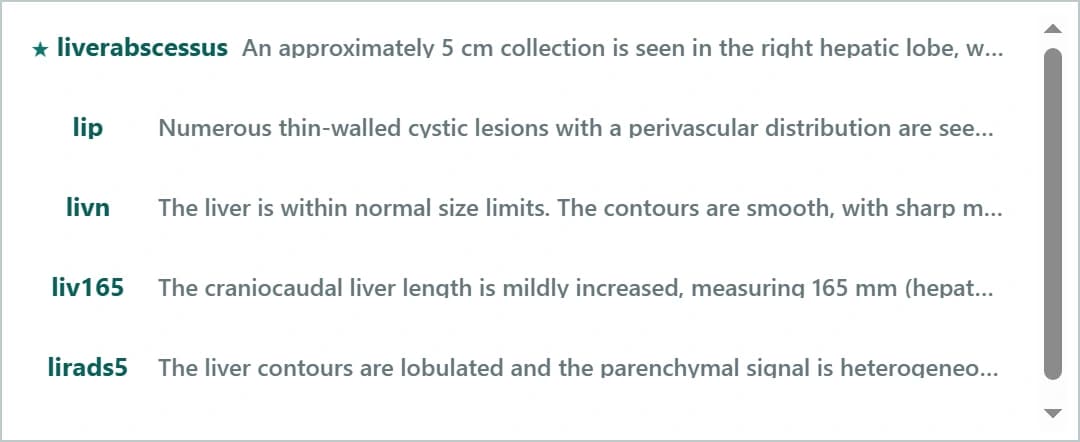
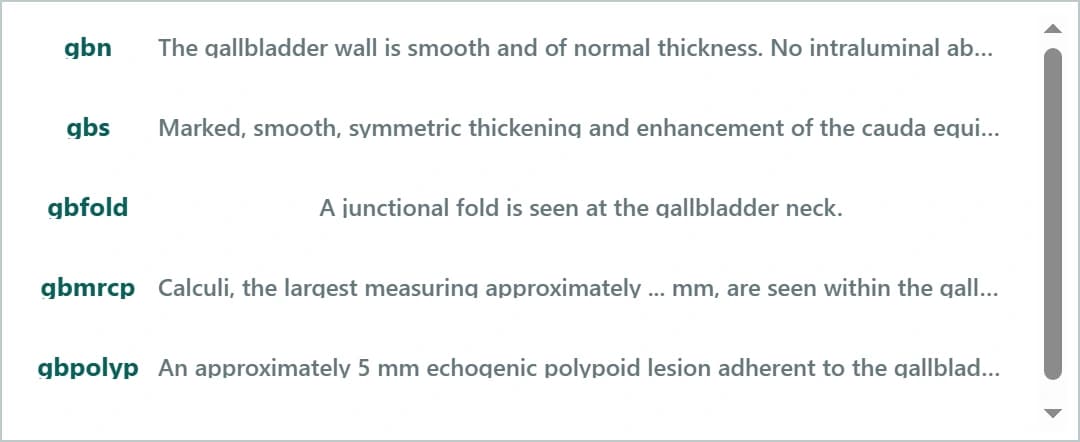
For radiology residents and specialists
Build reports from templates and shortcuts in your browser, or use the Windows app to insert reviewed phrases into the reporting screen you already use.
Use templates and shortcuts in your browser. No installation needed. Premium access required.
See how RadPhrases works — 90 secFree plan · 30-day Premium access · no card required
One liver ultrasound report, two methods
An illustrative scenario using three frequently used findings
Time returned in this example report
Three findings, three shortcuts. Results vary with typing speed and workflow.
Every reporting day includes phrases you have written before, templates you need to find again, and classifications that interrupt your workflow. RadPhrases keeps those repetitive steps close at hand—while you stay in control of the final report.
Enter your report volume and shortcut use. The estimate is based only on the assumptions shown here, so you can adjust it to match your own workflow.
Example calculation: 60 reports per day × 3 phrases per report × 19.3 seconds per phrase × 230 working days per year. This is not a performance guarantee.
Available in RadPhrases
RadPhrases inserts phrases directly into the Windows reporting software you already use. There is no need to copy or upload your report to another application.
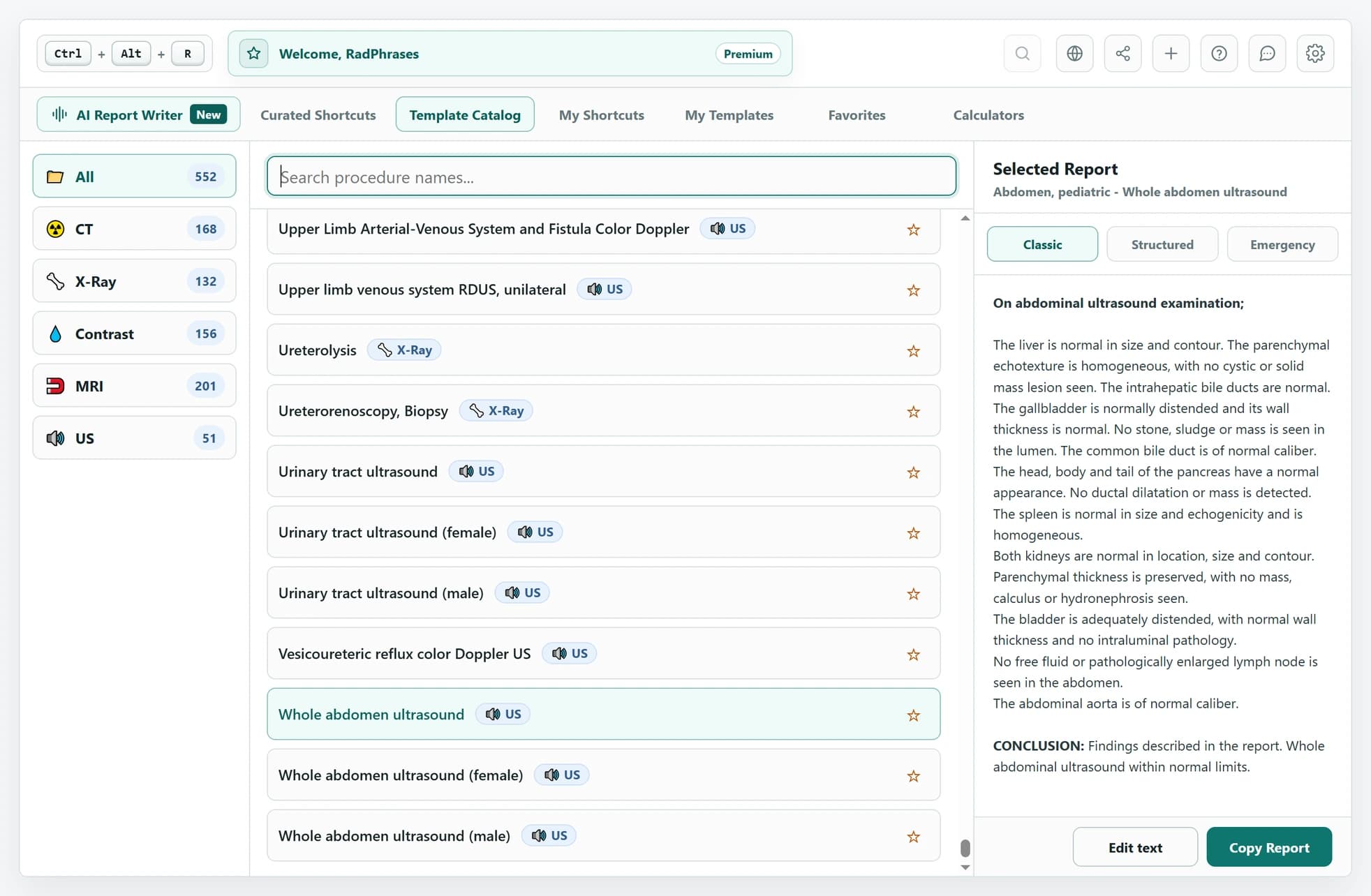
Press Ctrl + Alt + R to open the catalog. Search by modality, preview the report, and add the selected template to your workspace.
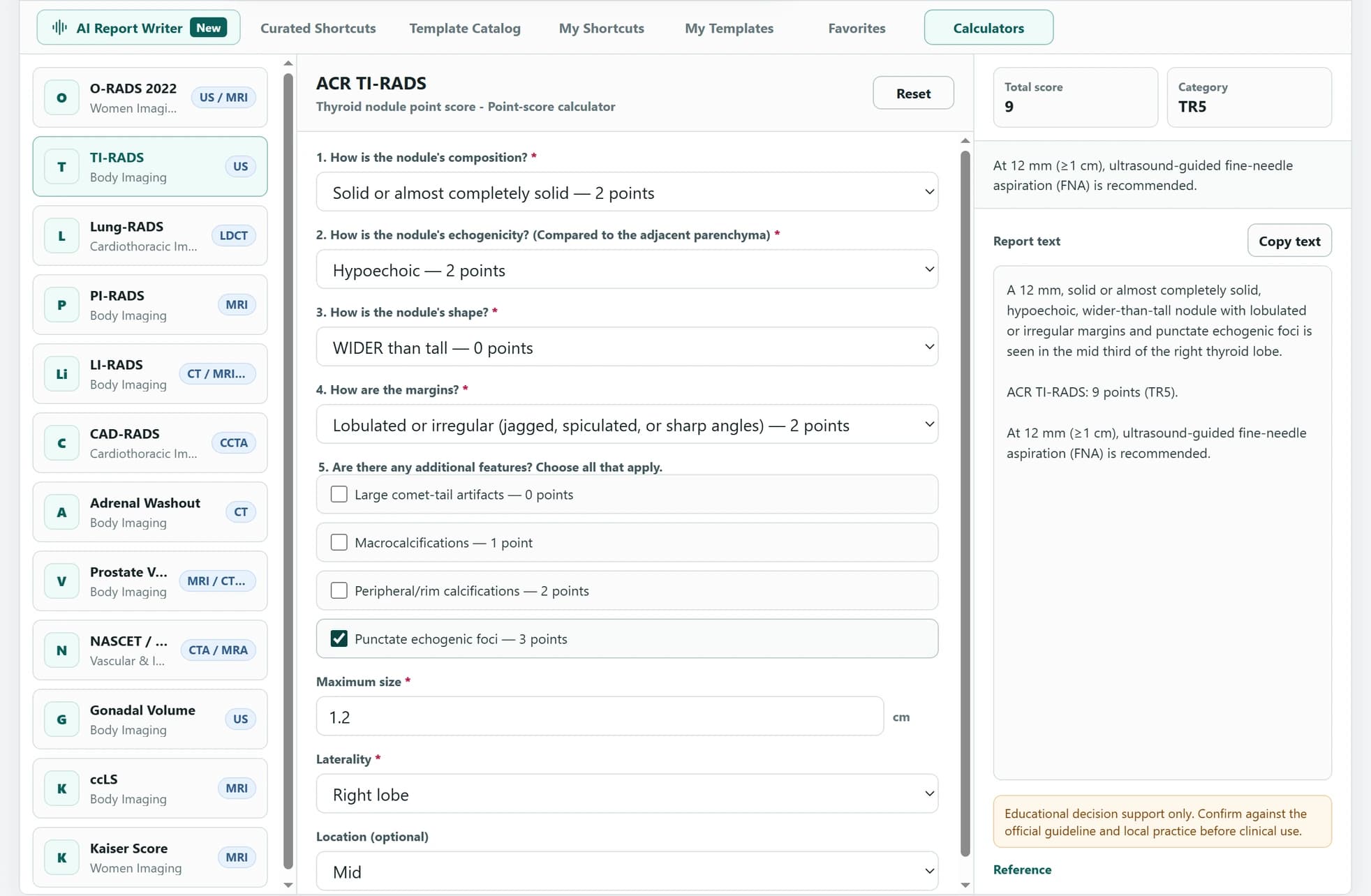
Enter structured findings into built-in calculators such as O-RADS, TI-RADS, and PI-RADS. Review the result, guidance, and report text together.
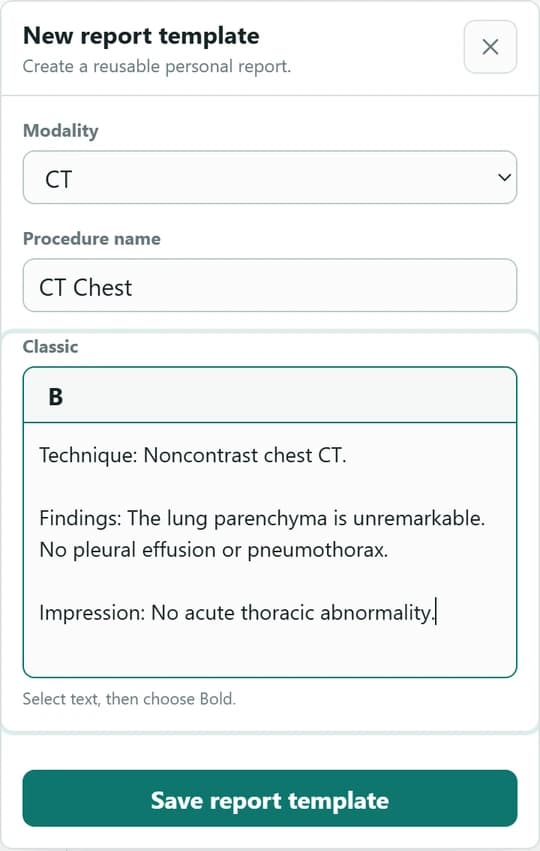
Create personal shortcuts and report templates with catalog-backed categories and procedure names. After saving, access them from the same catalog and overlay.
Plans
Free includes the core Windows app, the reviewed Free catalog, and generous personal-content limits. Premium unlocks the complete catalog, unlimited creation, sync, sharing, and Report Writer.
Try Premium features for 30 days
Included automatically with every new account. New accounts also get 5 one-time AI requests. No payment method required.
Start with the essentials.
No credit card required
$0forever
5 AI requests for new accounts
Your complete reporting toolkit.
$70per year
Launch sale · 50% off
USD/EUR prices are approximate. Checkout shows TRY and taxes; payments are processed in USD.
Includes 5 AI requests each month
Turn spoken findings into report drafts.
$140/ year
Launch sale · 50% off
USD/EUR prices are approximate. Checkout shows TRY and taxes; payments are processed in USD.
300 AI requests per month
New accounts get 5 one-time AI requests. Premium adds the complete library, sync, and a monthly AI allowance. Premium AI raises that allowance.
Monthly and yearly Premium include the same features.
| Capability | Free | Premium | Premium AI |
|---|---|---|---|
| AI report generation with voice | 5 AI requests for new accounts | 5 AI requests per month | 300 AI requests per month |
| Text expansion in Windows apps | Included | Included | Included |
| Reviewed shortcut and report catalog | Free catalog | Complete Free + Premium catalog | Complete Free + Premium catalog |
| Personal shortcuts | Up to 50 | Unlimited | Unlimited |
| Personal report templates | Up to 50 | Unlimited | Unlimited |
| Favorites | Free catalog items on this computer | All available content, synced across computers | All available content, synced across computers |
| Personal library sync | Not included | Shortcuts, reports, and favorites | Shortcuts, reports, and favorites |
| Community libraries | Browse public libraries | Publish, add, and use shared libraries | Publish, add, and use shared libraries |
| Web Report Writer | Not included | Included | Included |
| Technical support | Standard | Priority | Priority |
Clear answers about compatibility, privacy, plans, and clinical responsibility.
No. RadPhrases runs alongside your existing PACS, RIS, dictation, or reporting software. It inserts selected phrases and templates into your current workflow; it does not manage studies, replace dictation, or sign reports.
No. RadPhrases inserts the selected phrase directly into the reporting field you are using. Your report text, patient information, dictated text, and clipboard contents are not sent to RadPhrases for phrase expansion. The application may use an internet connection for account authentication, license checks, updates, and optional personal-content synchronization. Premium AI is separate: when you request AI report writing or a voice revision, the recording, selected templates, and current AI draft are sent through RadPhrases to OpenAI for processing.
RadPhrases is designed for Windows applications that accept standard keyboard or clipboard text input, including many desktop and browser-based reporting systems. Secure, virtualized, or customized environments can restrict text insertion, so verify RadPhrases with your workstation before relying on it.
The curated base phrase and report libraries are selected and reviewed by the RadPhrases editorial team. Personal and community content is labeled separately and is not independently verified by default. Every item still requires your clinical review before use.
The Free plan includes the reviewed shortcut and report-template catalog, fast search, use across applications on your computer, and a limited number of personal shortcuts and templates. No credit card is required. Premium-only catalog content, unlimited personal content, automatic multi-computer sync, and priority support are not included.
With Premium, your personal shortcuts, report templates, and favorites follow your account across signed-in computers. Patient data, clipboard contents, and the report text you are editing are not part of desktop synchronization.
No. RadPhrases is a text-expansion and reporting-productivity tool, not a medical device, diagnostic system, or source of medical advice. You remain responsible for reviewing, verifying, and editing every phrase or template before finalising a report.
The official name is RadPhrases. If you searched for RadPhrase or Rad Phrase, this is the official website for the radiology reporting app.
Type a shortcut, press Enter, and insert a reviewed phrase into the reporting workflow on your computer.
Download for WindowsFree plan · 30-day Premium access · no card required